- DATE:
- AUTHOR:
- The SpotOn Express team

Product Updates: Weeks 08/01/26 - 08/31/26
Six new reporting views give you line-item visibility into every tax, fee, discount, and item you ring up — no more custom exports or opening tickets one by one. Add a full Spanish experience across your POS, KDS, Dashboard, and Time-clock, faster cash checkout, and smarter online ordering controls, and your team spends less time digging and more time on the floor.
Check out all 13 release updates you should know about this month!
Dashboard & Point-of-Sale
Express en Español: Empower Your Team in Their Preferred Language
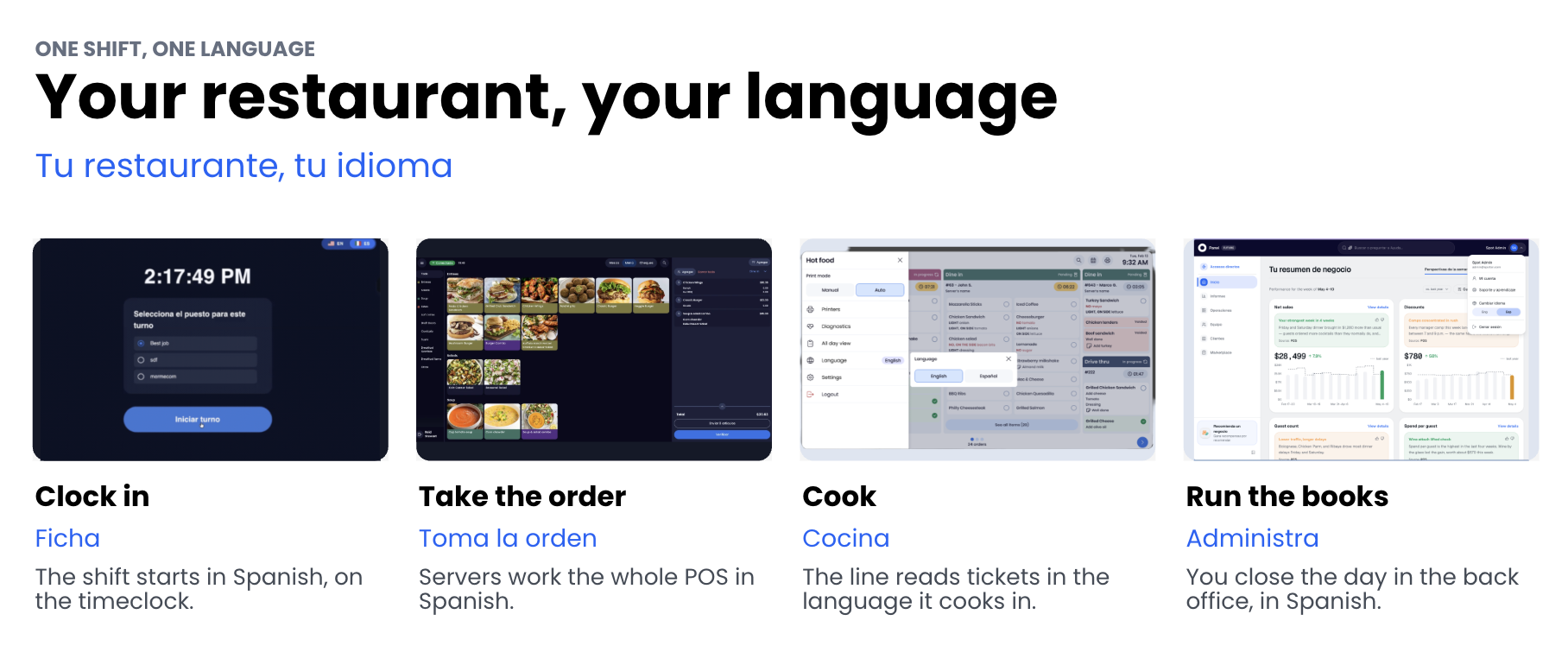
Break down language barriers and run smoother shifts. You can now toggle between English and Spanish across your POS, Dashboard, KDS, and Timeclock—helping staff work faster with fewer errors.
Accelerate onboarding: Reduce staff training time by giving servers and kitchen staff intuitive Spanish interfaces.
Customize by station or user: Set device-level preferences for POS and KDS, and personalized preferences for Dashboard users and Timeclock logins.
Eliminate daily friction: Keep FOH and BOH focused on service rather than translating daily operations.
Fewer misunderstandings. Slower turnover. Better shift momentum.
Learn how to customize your language settings today.
Cash Rounding: Faster Cash Payments & Smoother Checkout
Keep your cash drawers moving and simplify change during busy shifts. You can now enable automatic penny rounding for cash payments to the nearest 5¢ after all taxes, fees, and discounts are applied.
Accelerate cash checkout: Eliminate the hassle of loose change to keep lines moving fast.
Streamline cash handling: Automatically apply fixed, predictable rounding rules directly at the POS, handheld, and CFD.
Maintain full accounting clarity: Easily track net rounding variances across your Daily Recap and Sales Summary reports.
Faster drawer closes. Less coin clutter. Smoother shifts.
Read how to turn on cash rounding today.
Reporting: Accounting Summary
We rebranded the former Sales Summary page to "Accounting Summary" to give you a dedicated hub for high-level financial reporting. This change separates daily sales tracking from financial accounting.
Streamline reconciliations: Simplify period audits and multi-location oversight in one place.
Eliminate confusion: Keep day-to-day operational analysis separate from accounting workflows.
Dedicated reporting: Pair high-level totals with performance-focused sales reports.
Clearer insights. Faster reconciliations. Effortless accounting.
Log into SpotOn Dashboard to explore
Our new visual Sales Summary view gives you an interactive breakdown of daily performance. Answer key operational questions instantly without digging through raw order lists or pulling custom exports.
Interactive charts: Slice performance metrics across critical dimensions to make fast, data-driven decisions.
Direct drill-throughs: Access side-pane details and individual order breakdowns in seconds.
Zero export hassle: Track daily and staff performance without manual data pulling.
Clearer trends. Faster decisions. Operational clarity.
Explore your new Sales Summary
SpotOn Dashboard now includes a dedicated Fees & Surcharges view that aggregates transaction line items in one place. Audit fee setups instantly without searching order by order.
Centralize fee data: Access every fee and surcharge line item with sortable columns and filters.
Drill into details: Inspect order details and export CSV reports to track fee volume over time.
Faster audits. Smarter tracking.
Explore your Fees & Surcharges view
SpotOn Dashboard now includes a dedicated Taxes List view giving you line-item clarity on every tax applied to your orders. Eliminate tax blind spots and catch rate errors before filing deadlines.
Audit individual transactions: Filter, sort, and click into order details to verify collected taxes.
Simplify reconciliation: Match expected versus collected tax at the line level for accurate books.
Export clean data: Download full tax details in seconds for hassle-free filing and auditing.
SpotOn Dashboard now includes an Order Item List View giving you self-serve access to line-item data. Drill down past order summary numbers without opening tickets one-by-one or requesting custom exports.
Self-serve reporting: Customize columns, filter across locations, and export row-granular CSV data.
Proactive loss prevention: Audit voids and comps instantly by employee, shift, or table to protect margins.
Instant troubleshooting: Catch theft and resolve inventory variances on the spot.
Explore your Order Items List view
SpotOn Dashboard now includes a dedicated Discount List View giving you line-item tracking on every applied discount. Eliminate blind spots and manual receipt audits without relying on high-level summaries.
Enforce discount policy: Audit activity by employee, item, or discount type to enforce compliance.
Protect profit margins: Spot discount trends quickly to safeguard revenue and reduce unnecessary loss.
Customizable reporting: Tailor columns, filter by date or location, and export data directly to CSV.
Explore your Discount List view
Add-On's
Maple AI phone answering
Your phone rings during the dinner rush, and nobody can get to it. Maple answers it. Maple is an AI voice agent that picks up every inbound call 24/7 - taking orders, booking reservations, and answering guest questions - then sending the order straight into your system, exactly as the guest said it.
Stop losing orders you never heard about. Every call gets answered, including the after-hours ones and the ones your team can't get to mid-rush.
Keep your staff on the floor. Your team stays with the guests in front of them instead of stuck on the phone.
Grow the average ticket. Maple suggests add-ons and combos on every call, and takes orders in English, Spanish, and Chinese.
Teamwork: Find Settings Fast with Reorganized Controls
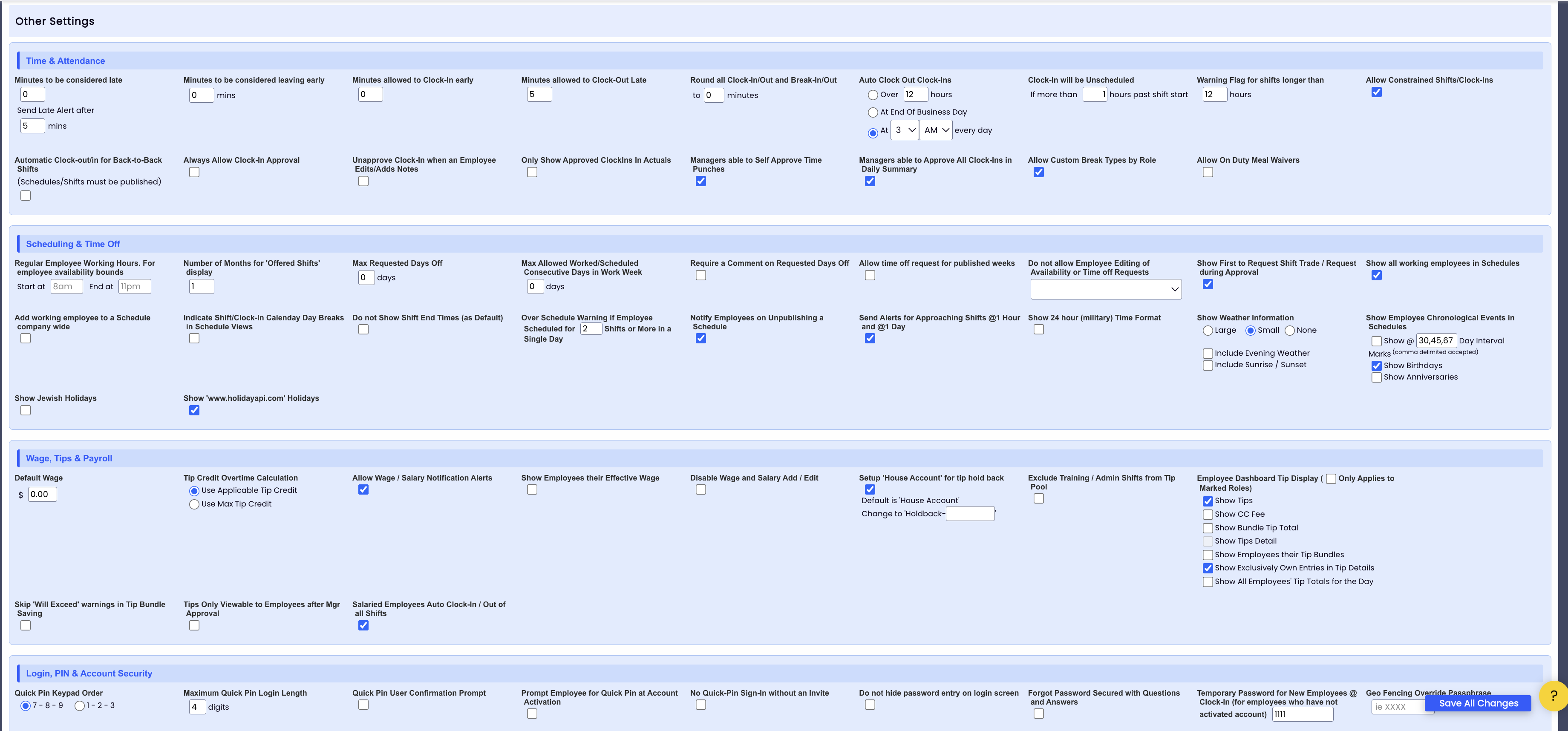
We reorganized Teamwork’s settings into 7 labeled sections so you can find controls without scrolling through long lists. With Time & Attendance options surfaced first, platform admin is faster and easier.
Navigate with ease: Browse 7 clear categories like Payroll, Scheduling, and POS.
Zero disruption: All options work the same—just grouped for maximum speed.
DayCheck: Cleaner Accounting with Direct Deposit Netting
DayCheck repayments now net directly off daily processing deposits instead of pulling via ACH. This eliminates extra bank movements, delivering faster repayments and cleaner bookkeeping.
Simplify cash flow: Net routine repayments automatically from daily deposits to reduce unnecessary transfers.
Speed up payouts: Keep balances current without waiting on separate ACH pulls.
Fewer bank transfers. Cleaner books. Effortless cash flow
Email daycheck.implementation@spoton.com to change your settings.
Control the Rush with Order Pacing
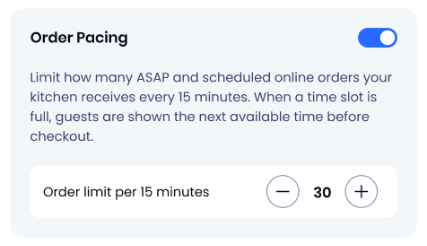
Stop shutting off online ordering when you get slammed. Express merchants can now cap how many orders arrive per 15-minute window.
Never lose revenue: Automatically move guests to the next open time slot when a window fills up.
Protect your kitchen: Keep ticket volume inside your exact capacity to prevent overwhelming the line.
Instant setup: Turn it on yourself via SpotOn Dashboard.
Keep shifts smooth and your kitchen out of the weeds.
Online Ordering: Connect With Confidence
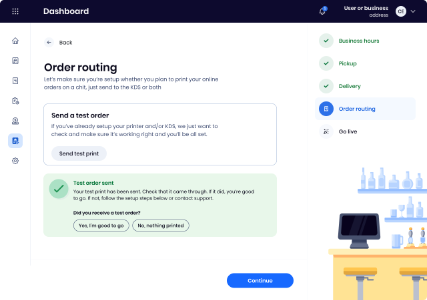
Ready to launch online ordering but worried about kitchen chaos? You can now send a test order to confirm tickets reach your kitchen—printed or on KDS—exactly as expected. It’s the perfect reason to finally activate this crucial revenue stream.
Eliminate guesswork: Confirm your routing works on demand, anytime.
Troubleshoot instantly: Access built-in setup guides right from the testing screen.
Unlock new revenue: Go live with zero fear of missed tickets or dropped orders.
Total confidence in your kitchen flow. Test your setup in Online Ordering Settings today.