- DATE:
- AUTHOR:
- The SpotOn Express team

Product Updates: Weeks 04/01/26 - 04/30/26
We’ve been hard at work behind the scenes—and it shows. These releases deliver faster workflows, clearer insights, and smoother operations so you can run your restaurant with more control and less effort. Check out all 17 release updates, you should know about this month!
Dashboard & Point-of-Sale
Combo Meals are Here!
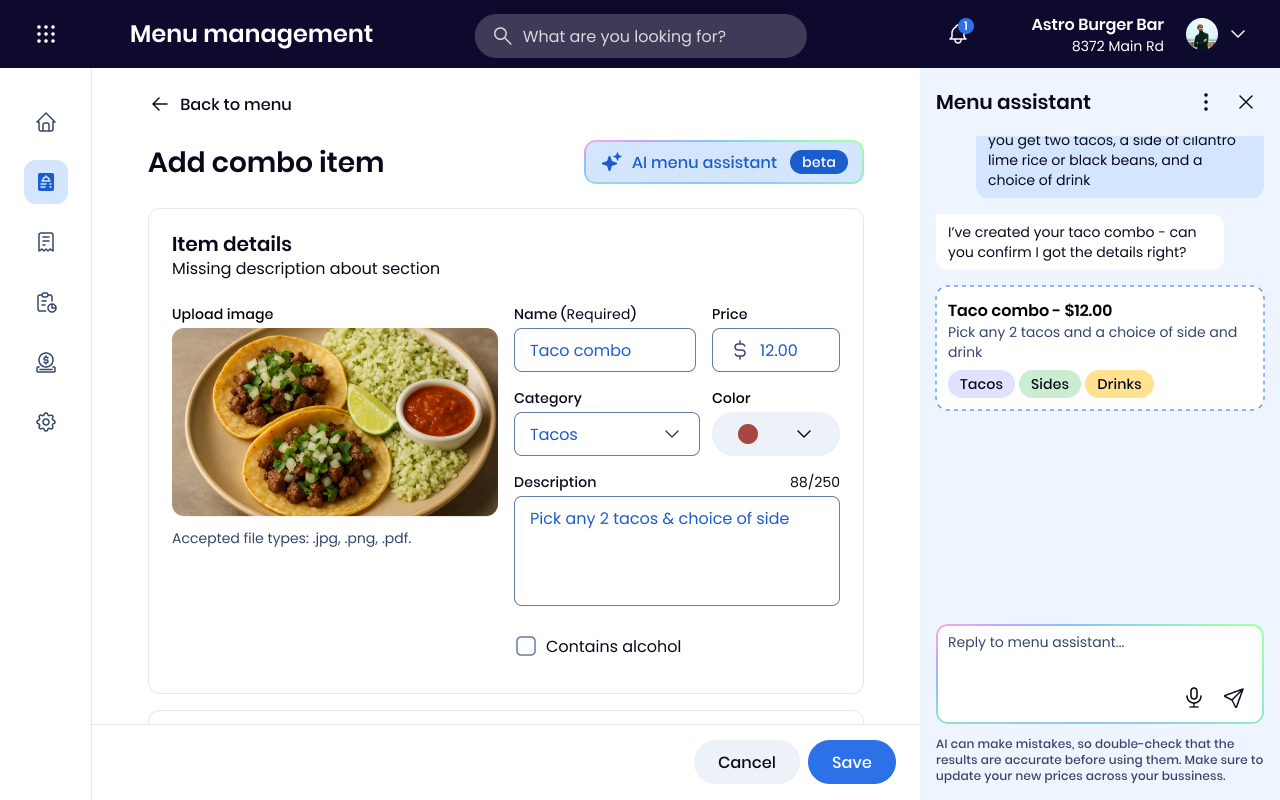
Build combo meals directly in your menu - bundle items like a burger + side or a pick-two deal, set one price, and let guests choose their options. Combos work across your POS, handhelds, KDS, kiosk, and online ordering.
Your POS Now Displays Net Owed
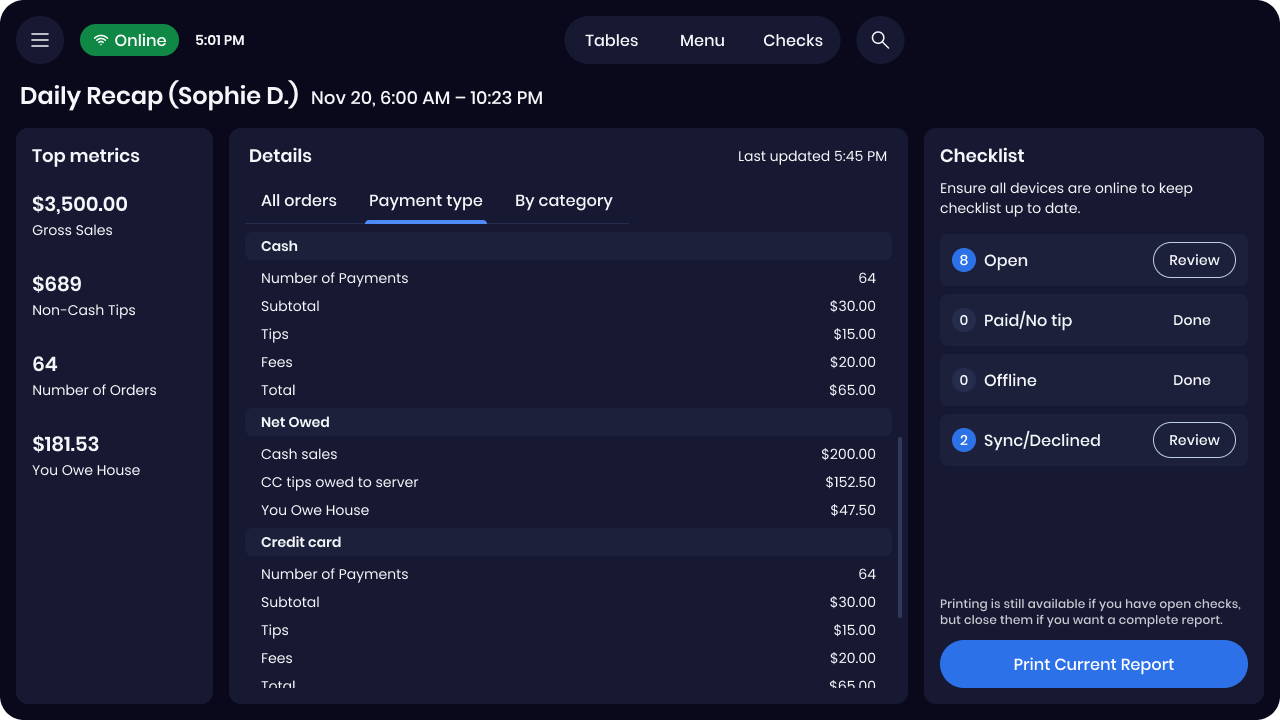
Your Daily Recap now shows a clear "You Owe House" or "House Owes You" total. No more mental math when it's time to settle up - the number is right there.
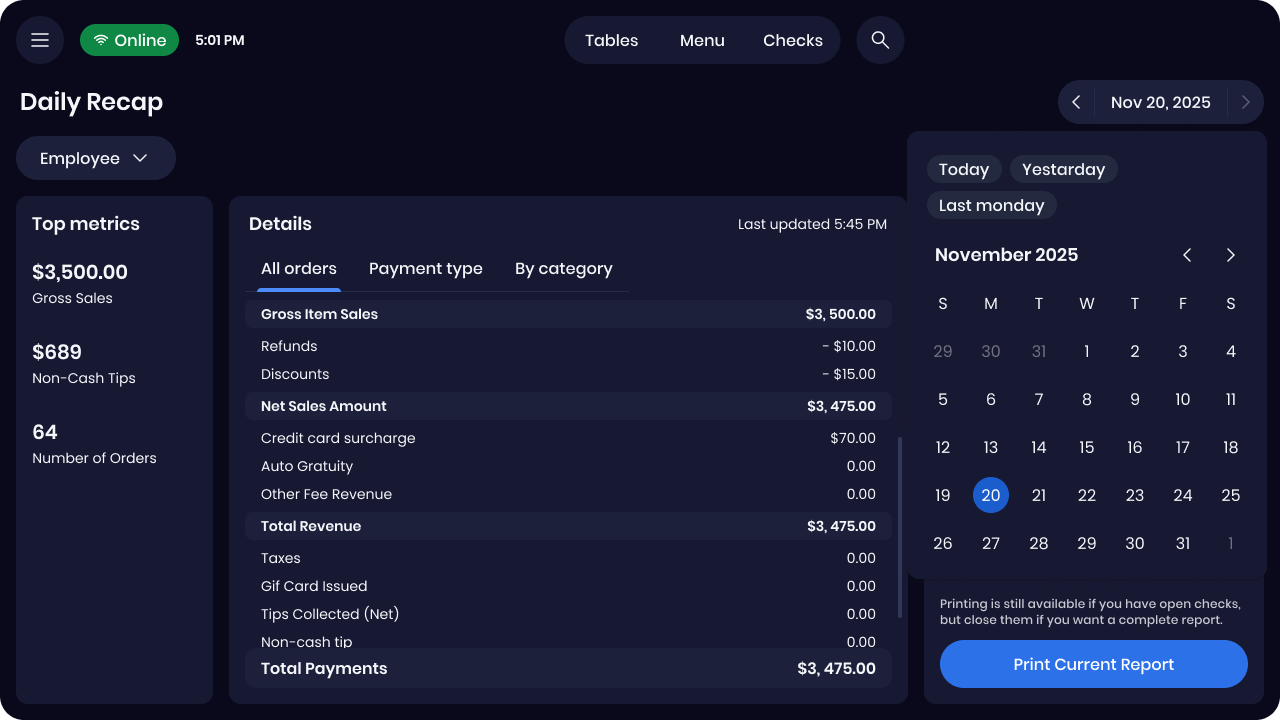
Managers can now pull up an individual employee's sales, tips, and shift performance directly on the POS. No need to switch to Dashboard - and printed reports reflect the filtered view.
Dashboard: Faster Timecard Review with Pay Periods
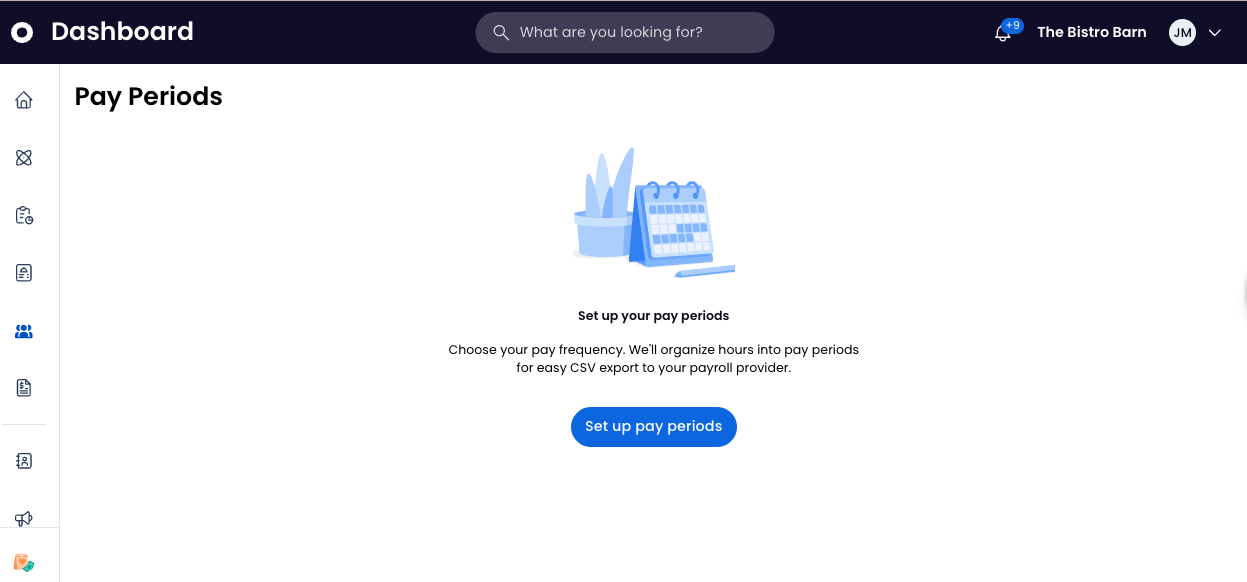
Say goodbye to manual date selection and searching for timecards to review. We’ve introduced Pay Periods, a new way to organize timecards that makes reviewing and closing out your timecards before payroll faster and more reliable.
Managers can now easily view active periods, resolve flagged issues, and lock data to ensure accuracy before running payroll. Need to check the past? Access locked historical periods anytime for audits or employee inquiries.
How this helps your business:
Faster Payroll Prep: No more manual date ranges—view timecards automatically organized by your weekly or bi-weekly schedule.
Proactive Issue Resolution: Identify and fix timecard errors before you close the period, ensuring staff are paid accurately and on time.
Audit-Ready History: Maintain a secure, locked record of past pay periods to quickly answer questions and stay audit-ready.
A streamlined workflow that speeds up timecard reviews for payroll.
Login to your Dashboard to set up your Pay Periods.
Dashboard: Navigation Bar Update
We’re making the SpotOn Dashboard more intuitive by bringing all your team-related tools into one centralized home: Team Management. This update organizes your team management tools into a structure that matches how you actually run your business.
While no functionality has changed, we’ve renamed and relocated key features to help you navigate faster and find exactly what you need.
How this helps your business:
Centralized Control: Find Tip Pooling and Team Management Settings all under the new Team Management tab—no more hunting through different menus.
Clearer Navigation: Updated labels like "My Team" (formerly My Employees) reflect a modern, streamlined workspace that's easier for new managers to learn.
Less time clicking and a dashboard that works for you.
Login to your Dashboard to explore the new Team Management tab.
Dashboard: Evaluate Integrations at a Glance
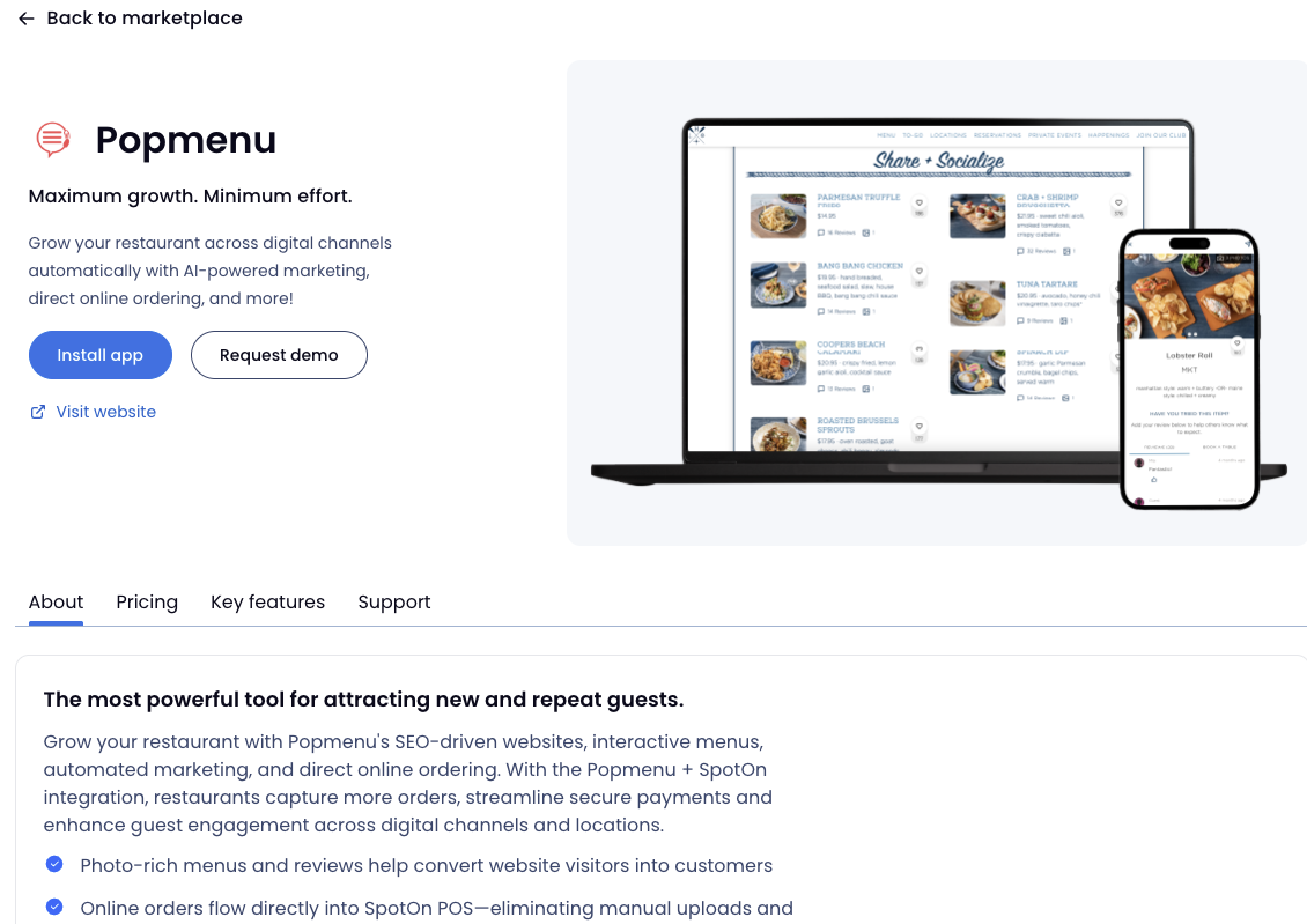
Stop jumping between tabs to research new tools, and start exploring integration options directly in Dashboard. Our new Marketplace now includes comprehensive detail pages, including features, pricing, and support information for our SpotOn partners.
This update helps you make informed decisions and activate new capabilities faster than ever.
In-Dashboard Visibility: Review full partner details and costs without leaving SpotOn.
Easier Setup: Access links to install integrations once you find the right fit.
Clear Support: View partner-provided support info directly on the page.
Note: Currently, the Marketplace only features integrations powered by SpotOn's Centralized API. If you don't see a specific partner, visit our Integrations Directory for a complete list of all SpotOn integrations.
Reporting: A Smarter Daily Recap
No more piecing together different reports to review your day. The updated Daily Recap now includes five new operational breakdowns, giving you a complete view of your business performance in a single view.
With a more robust Daily Recap, you can:
Track Every Order: See exactly how orders were fulfilled (Dine In, Carryout, Delivery) and where they originated.
Deep Dive into Finances: View detailed summaries of taxes, fees, and discounts to catch anomalies instantly.
Monitor Key Metrics: Access a new "Key Metrics" section that brings your most important data front and center.
View Your Updated Report | Learn More

Reporting: Dig Into Your Hourly Demand
Eliminate the guesswork. The new Hourly Sales report gives you a clear, visual breakdown of sales, orders, and guest counts throughout the day so you can staff with confidence.
With Hourly Sales, you can:
Optimize Staffing: Use clear data to align schedules to peak periods.
Spot Long-Term Trends: View averages across multiple dates or specific days of the week to surface recurring patterns.
Analyze at a Glance: Identify trends instantly with high-impact bar charts and heatmaps.
Dive into Your Hourly Sales | Learn More
Add-On's
QR Gift Card Support on Handhelds
Scan and Pay Gift Cards Directly on Handhelds
Gift cards can now be scanned using the handheld camera via QR code on Handhelds. This enables faster, more reliable transactions without needing swipe (MSR). Simply scan the QR code on the card to complete payment.
What this means for you
Faster checkout with fewer manual entry errors
No reliance on swipe, with manual entry still available as a backup
Seamless experience on newer handhelds without MSR
Learn how to use QR gift card scanning with step-by-step guides and videos.
GoTo Place App: Scheduled Orders
Secure revenue before your doors even open and give your guests the flexibility they crave. The GoTo Place mobile app now supports scheduled pickup pre-orders, allowing your guests to plan their meals in advance rather than ordering for "ASAP" only.
SpotOn Order: Facebook/Google Tracking Pixel
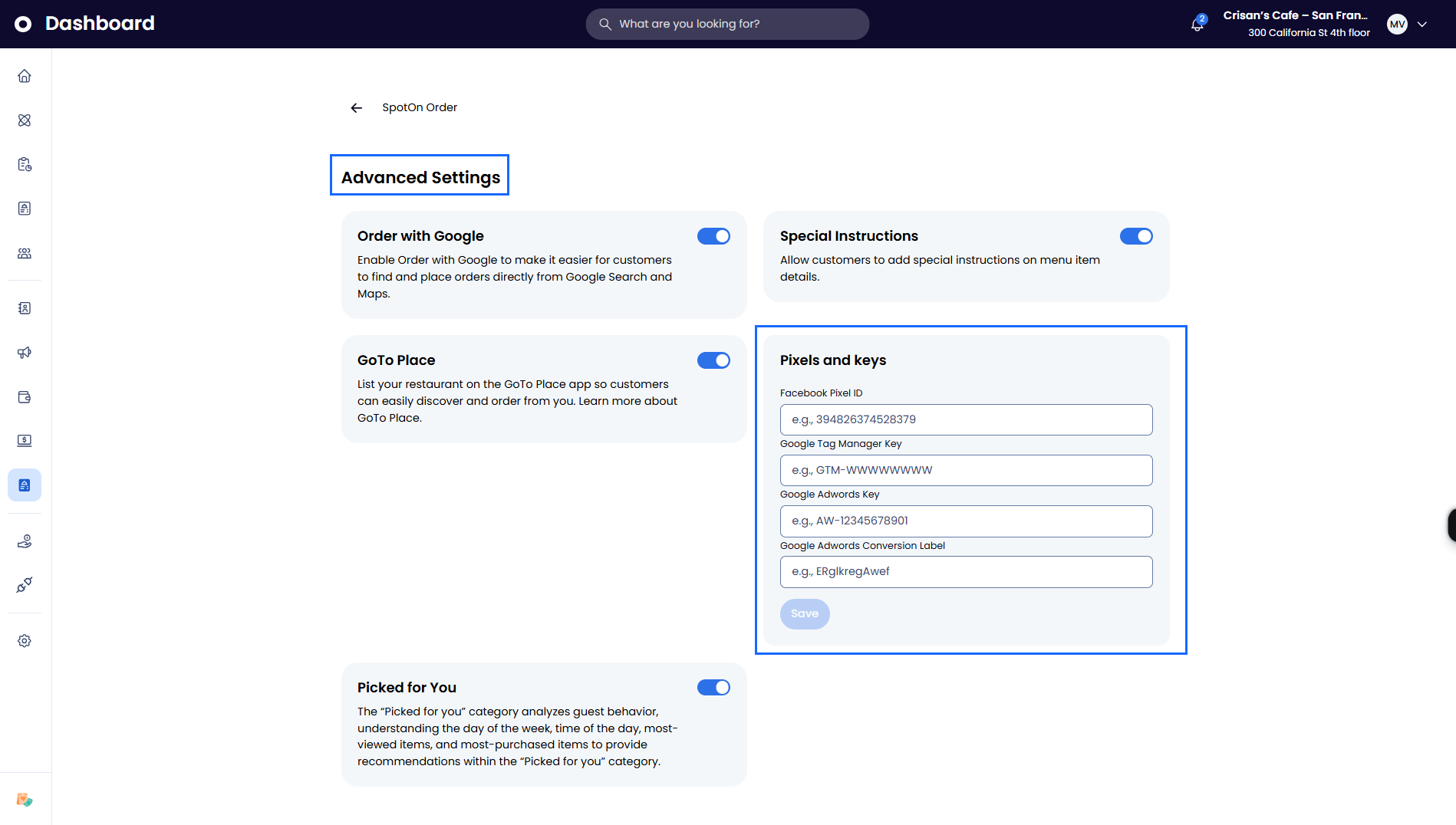
Stop guessing and start growing. SpotOn Order now supports Facebook, Google Tag Manager, and Google AdWords pixel tracking managed in Dashboard. You can now see exactly which ads turn into appetizers and entrees. Build powerful retargeting audiences and focus your budget on the marketing campaigns that actually fill your kitchen.
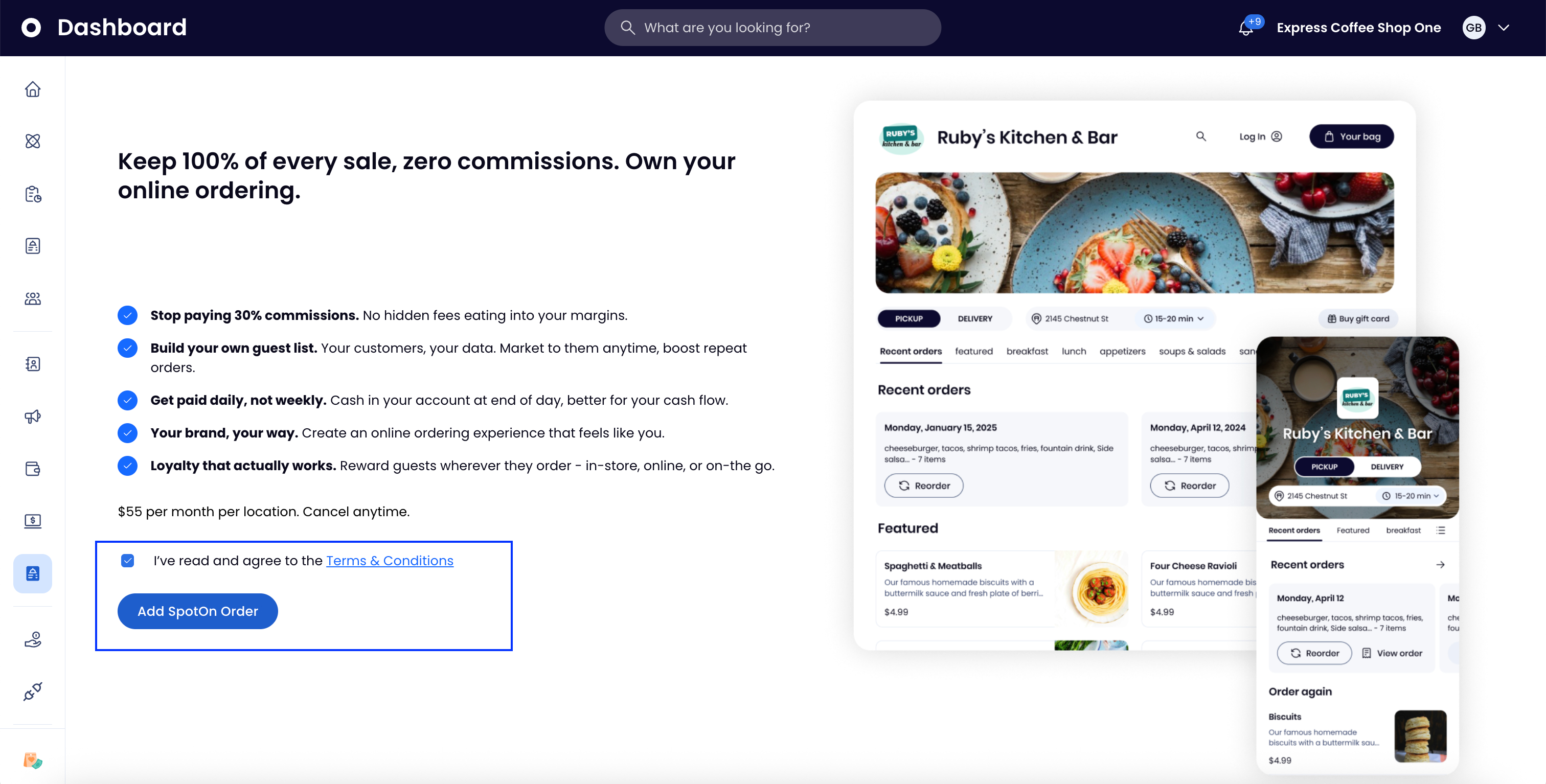
Get your online ordering live faster. You can now fully activate SpotOn Order directly from the Dashboard. Manage your digital presence on your own schedule without needing any back-and-forth with us.
Guests can now communicate item-level preferences and allergy info directly through the online ordering flow—reducing order errors and back-and-forth with your restaurant. Special Instructions appear on the order ticket attached to the specific item.
If you don't want open-ended guest input on orders, you have full control to toggle off Special Instructions via Dashboard → Online Ordering → Advanced Settings.
Settlement batch times updated for WorldPay merchants
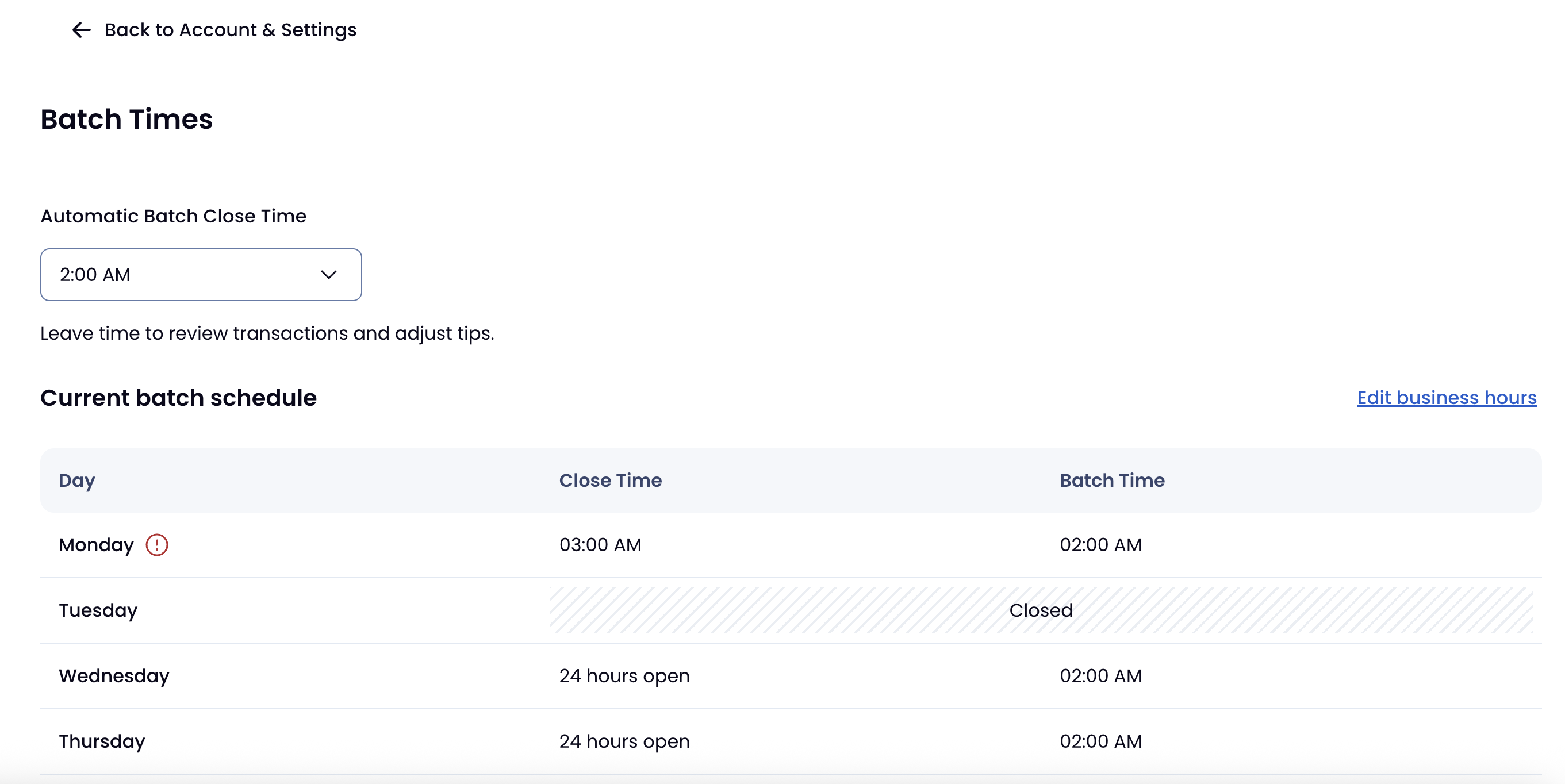
We updated settlement batch times for WorldPay merchants on April 23–27. Batch times are now calculated based on your business hours in SpotOn. If your hours aren't current, we recommend updating them.
Teamwork: Federal Qualified Overtime Reporting
Managing federal qualified overtime just got easier. We’ve updated Teamwork to handle the heavy lifting of the new federal qualified overtime reporting requirements.
Per One Big Beautiful Bill Act, the IRS requires "Qualified Overtime" to be reported separately on Form W-2. This update introduces a dedicated data field that automatically separates federal overtime from state or local premiums for payroll.
How this helps your business:
Tax-Ready Reporting: Capture the specific hours worked over 40 in a workweek to support OBBB tax reporting for payroll.
Eliminate Calculation Headaches: No more manual spreadsheets; the system automatically separates qualified overtime from unqualified overtime.
Smarter reporting, zero guesswork, and confidence in your payroll reporting.
Contact Teamworksupport@spoton.com to get started.
Teamwork: Clarity for Your Team’s Tips
We’ve rebuilt the Tip Summary page in the Teamwork mobile app to give your employees a clear, accurate breakdown of their earnings. This update directly addresses the common "Where are my tips?" question by showing an employee what was earned, what was tipped out, and what they can expect to take home.
This redesigned experience offers:
Total Transparency: Employees see a structured breakdown of earned tips for the pay period and a daily breakdown.
Reduced Support: Fewer questions for managers and operators means more time focused on the floor.
Improved Trust: A reliable, modern interface provides team members with confidence in their compensation.
Less confusion, fewer follow-ups, and a more empowered workforce.
Teamwork Mobile App Download:
iOS: link to download
Android: link to download

DayCheck: Manage Your Repayment Notices
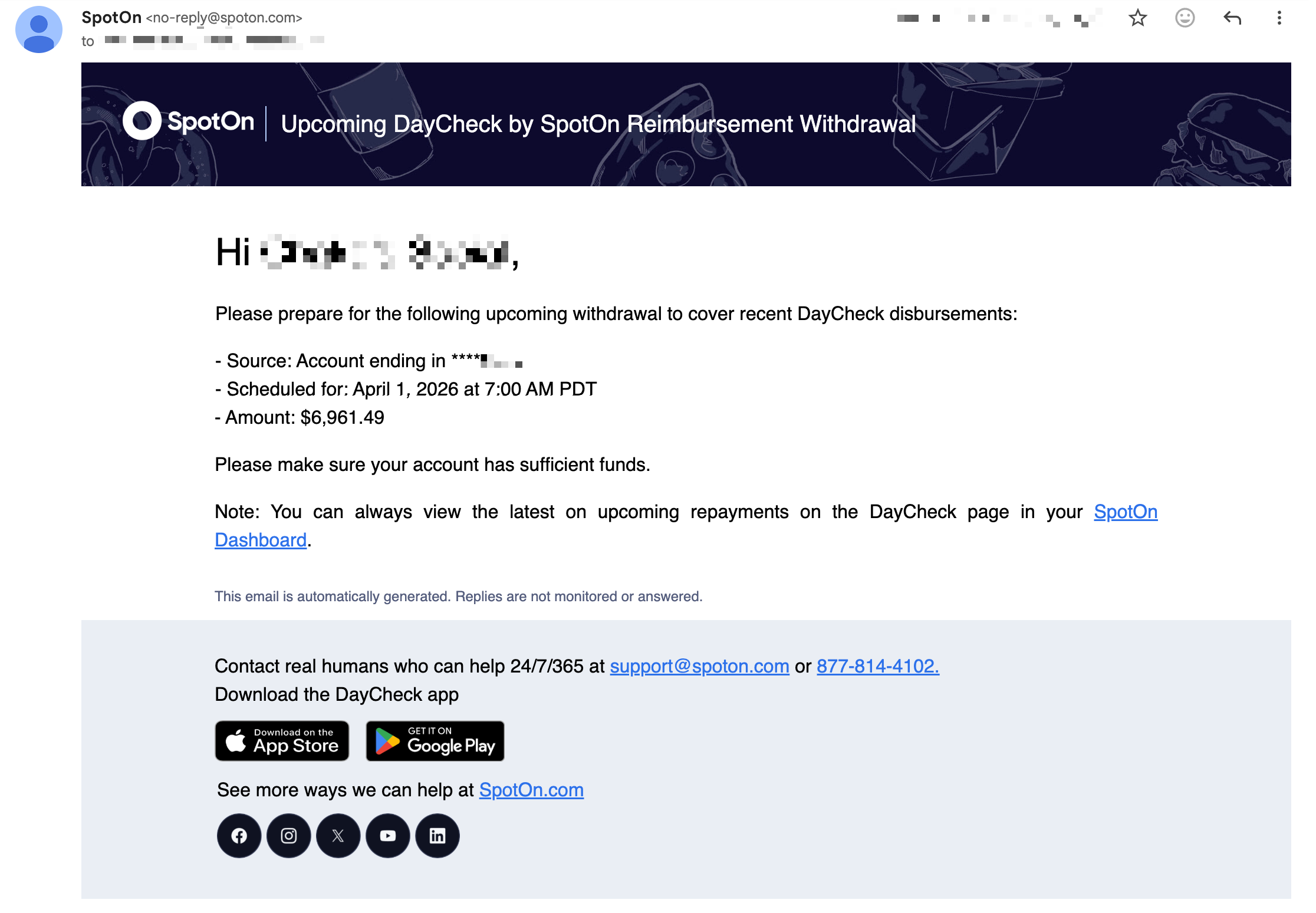
We’re bringing more awareness to your DayCheck repayments. You can now receive advance email notifications before a DayCheck repayment is triggered—helping you plan for upcoming debits with confidence.
You also have total control over who stays in the loop with new self-service notification management in the DayCheck dashboard. Easily add or update recipients by location to ensure the right people see the right data.
How this helps your business:
No More Surprises: Receive an advance heads-up on repayment amounts so you can ensure funds are ready and waiting.
Visibility for the Right People: Direct notifications to specific owners, managers, or accountants by location and role.
Better visibility, streamlined communication, and more peace of mind for your back office.
Contact support@spoton.com to get started.