- DATE:
- AUTHOR:
- The SpotOn Express team

Product Updates: Weeks 07/01/26 - 07/31/26
This month hands you tighter control over your cash, your data, and your kitchen — from digital cash drawer reconciliation and a completely reorganized Dashboard, to smarter invoicing and AI-powered reservations that catch every call you'd otherwise miss. Less counting, less searching, fewer missed opportunities — just faster, clearer operations for your restaurant. Check out all 10 release updates you should know about this month!
Dashboard & Point-of-Sale
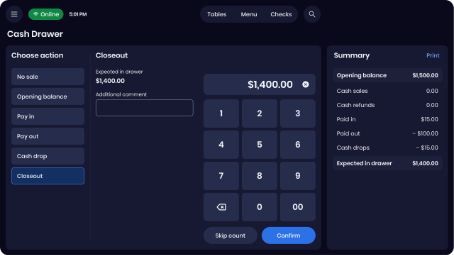
Digital cash drawer management is here.
No extra tools needed. No more manual cash logs at the end of the night. Cash Drawer Management is now built into SpotOn POS, giving you a digital cash ledger and shift closeout workflow directly on your POS terminal.
Open and close your cash drawer digitally at the start and end of every shift
Track all cash ins and outs in real time throughout the day
Reconcile at closeout without manual counting or paper logs
See discrepancies clearly to help hold your team accountable
Reporting Navigation Update
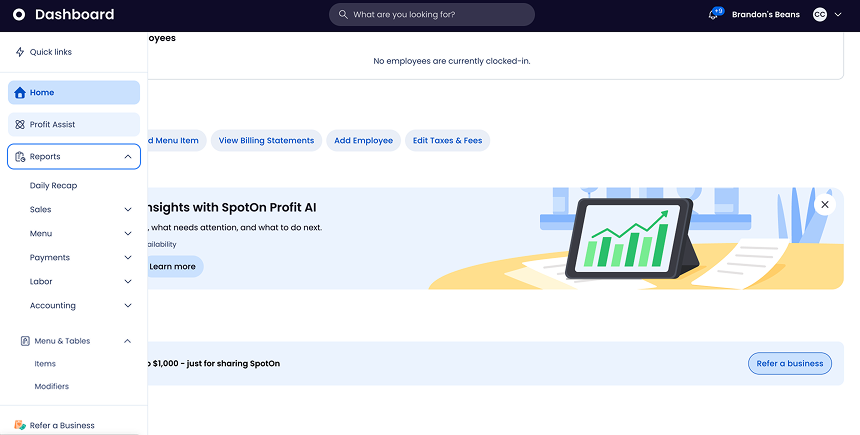
We’ve overhauled your Dashboard Reporting navigation to make managing your business effortless. All reports are now grouped into clean, logical categories—replacing the cluttered single list so you can pull the metrics you need without the endless scrolling.
Locate data instantly with organized functional categories.
Save daily admin time by skipping the hunt for key metrics.
Streamline financial oversight with immediate access to critical numbers.
Less hunting. Faster decisions. Total operational clarity.
Login to SpotOn Dashboard to explore
Dashboard Business Brief: Data at a Glance
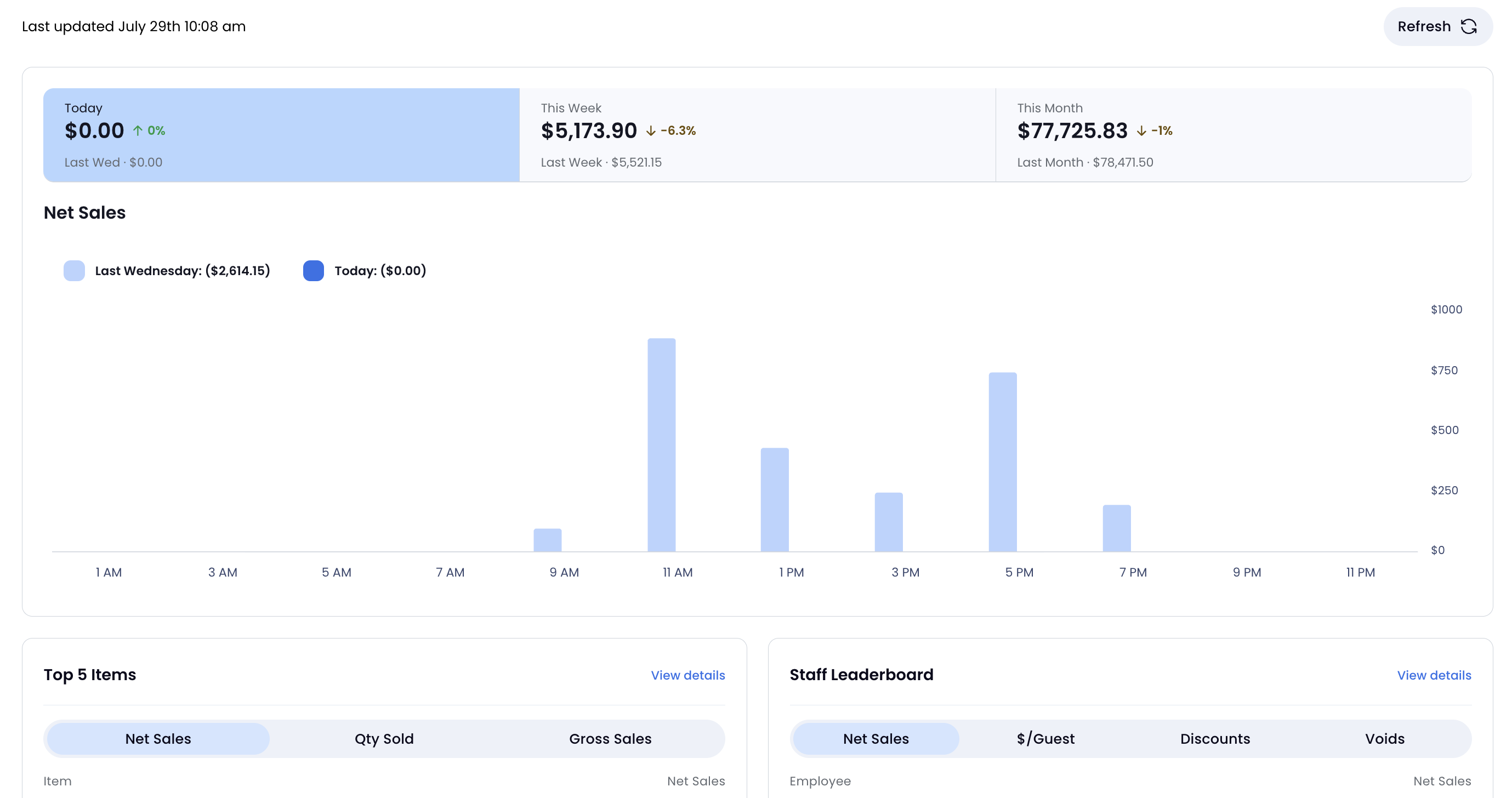
Your Dashboard homepage is now a modern, interactive snapshot of daily performance. Track critical metrics instantly without digging through reports.
Track sales in real time with instant comparisons across custom time periods.
Optimize operations using upgraded widgets like Staff Leaderboard, Top 5 Items, Fulfillment Mix, and Deposits.
Make faster decisions with key performance data visible immediately upon login.
Take a tour of your new homepage
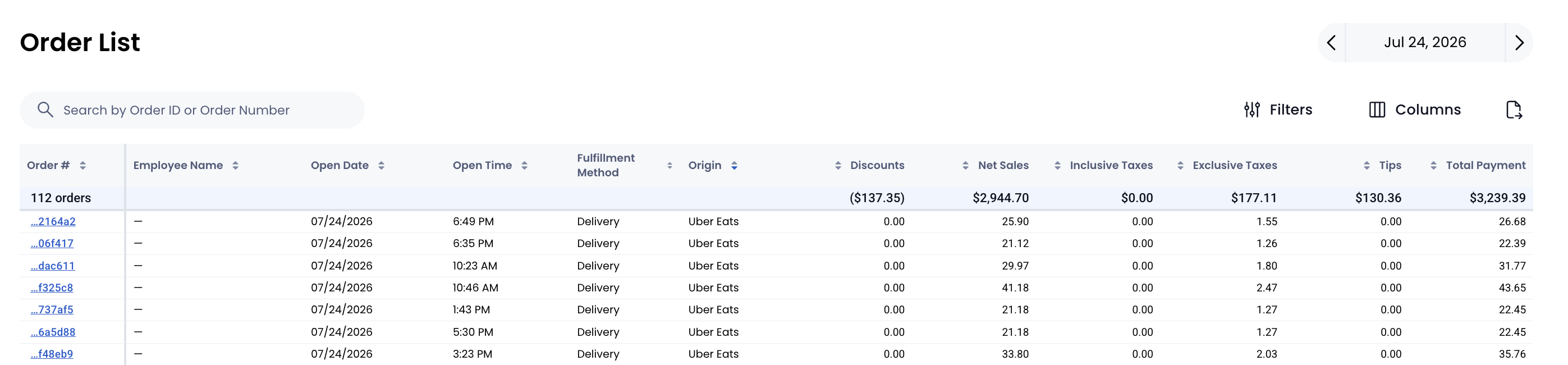
Enhanced Order List: Total Control Over Your Sales Data
With the enhanced Order List in Dashboard, you can streamline how you analyze transaction data across every location.
Find answers instantly by filtering multi-location sales and tracking down specific transactions on the spot.
Tailor your view with over 50 customizable data columns to focus on key metrics.
Export data effortlessly to CSV for detailed audits and customized reporting.
Tailored views. Faster answers.
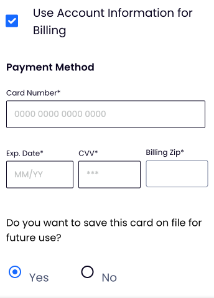
Card-on-file for Invoices
Customers can now save a card when paying an invoice and reuse it on future invoices — no more asking them to re-enter their card details every time. You can also charge a stored card on a customer's behalf directly from the invoice screen, making phone orders and repeat billing much smoother.
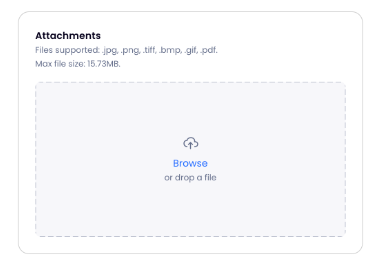
Drag-and-drop attachments
Need to send a contract, photo, or supporting document with an invoice? Now you can drag and drop files — images and PDFs — directly onto an invoice before sending. Customers see exactly what you've attached before they pay.
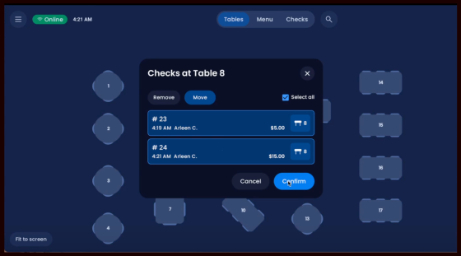
In case you missed it: Table Maps enhancement
You can now create multiple table map areas, alphanumerical table names, and new booth and high top table types to help you turn tables more efficiently and drive more revenue.
Add-On's
GoTo App: Clear the Counter with Push Notifications
Guests ordering pickup through the GoTo Place mobile app now get instant push notifications the moment their food is ready.
Reduce counter crowding: Eliminate "where's my order?" friction by letting guests know exactly when to step up to the counter.
Zero extra steps: Just hit "Mark as Ready" on your POS—the same button used for third-party delivery apps—to instantly fire the alert.

SpotOn Reserve: Never Miss Another Booking with Loman AI Integration
Missed calls mean lost revenue. Loman's 24/7 AI phone answering books tables directly into SpotOn Reserve.
Capture every table: Loman AI answers on the first ring, syncing bookings into SpotOn Reserve in real time.
Free up your host: Guests can easily book or modify reservations, freeing your staff from constant phone interruptions.
Same-Day Scheduled Orders: Prep on Your Terms
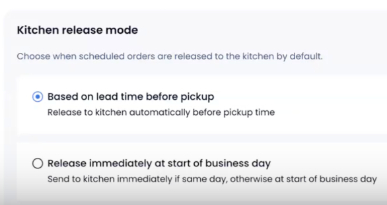
Take control of your kitchen's pace with the new Kitchen Release Mode for SpotOn Order. By customizing when scheduled online orders fire to your kitchen, you can:
See orders instantly by choosing "Release immediately" to send same-day orders to the kitchen the moment they are placed.
Plan ahead with full visibility of incoming tickets, allowing your team to manage prep on their own schedule.
Keep current pacing by sticking with the default lead-time mode to release tickets exactly when prep should start for hot handoffs.